





.png)
We visited the Inner Range and Wesco Anixter office in Melbourne last week and watching our visitor management kiosk in action was a reminder of exactly why we built it.
There’s something different about seeing your product in the real world. Not in a demo environment. Not on a slide deck. But live, at a partner’s site, being used by real people.
And it got us thinking about a question we hear constantly across Australian worksites: what does a genuinely good visitor kisok check-in experience look like?

Walk into most Australian workplaces today and you’ll still find a clipboard at the front desk. A visitor writes their name, scrawls a signature, and walks in. No identity check. No induction. No record that anyone can use.
In low-risk environments, that might feel acceptable. But for sites where compliance, safety, and security are non-negotiable-government facilities, critical infrastructure, commercial buildings, and other high-risk businesses-that clipboard is a gap in your security posture waiting to become a problem.
A purpose-built visitor management kiosk in Australia closes that gap. Not by adding friction-but by replacing it with a smarter, faster process that gives you real control over who enters your site.
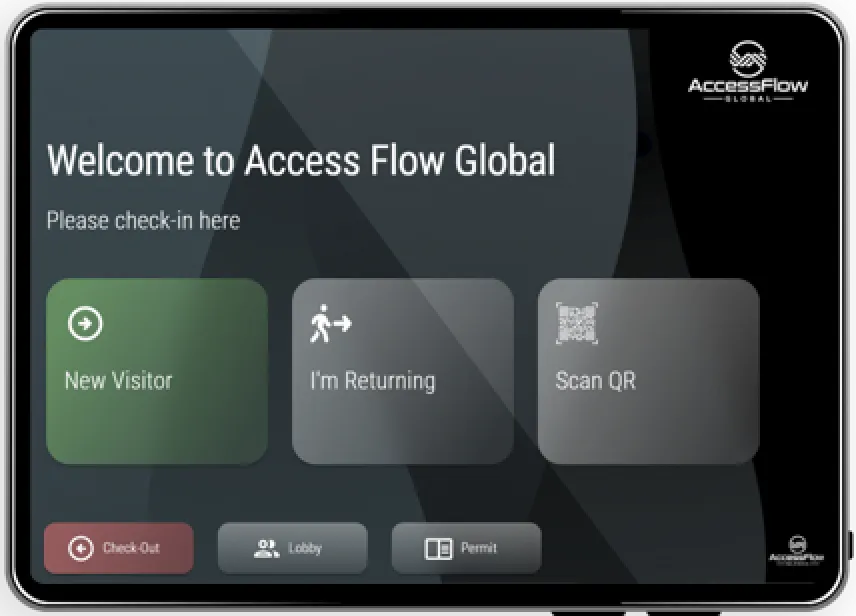
A visitor check-in kiosk is the frontline hardware that sits at reception-typically an Android or iOS tablet-through which visitors self-register on arrival.
The kiosk runs the visitor management software and handles the entire check-in process from a single touchpoint. Instead of signing in manually with pen and paper, visitors use an interactive touchscreen to check themselves in.
The real power, however, lies in the visitor management system (VMS) running behind the kiosk. The hardware is just the surface layer-what sits behind it is what counts.
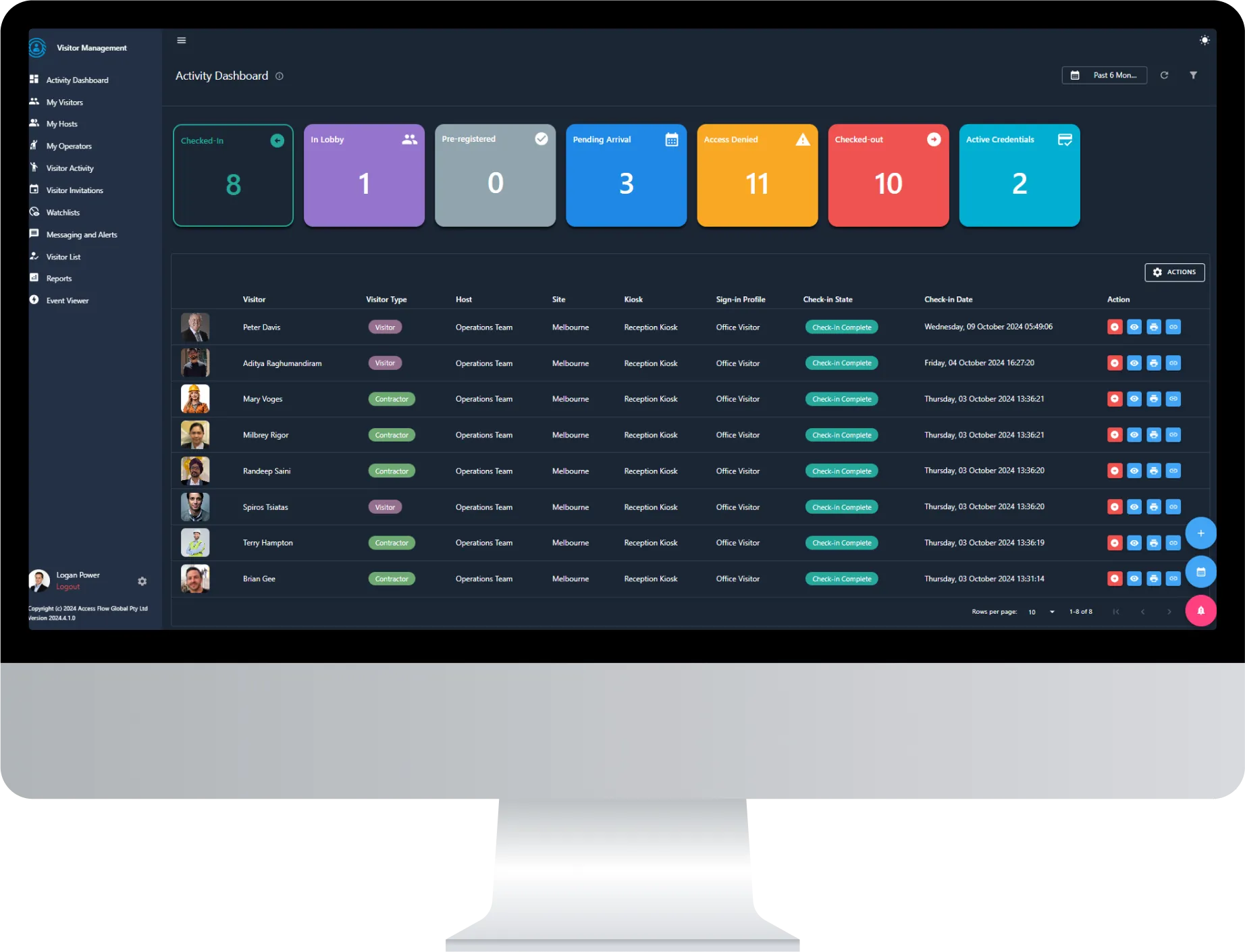
To give you a sense of what that looks like in practice, AccessFlow’s Essential Suite package includes:
On the hardware side, AccessFlow’s Customisable Kiosk Package brings everything together in a single, deployable unit:
AccessFlow Global offers a range of kiosk hardware options to suit different budgets and deployment needs-from premium, purpose-built kiosk enclosures for high-traffic or high-security sites, to simple tablet-and-stand setups for smaller or budget-conscious deployments. Whatever your site requirements, there’s a configuration to match.

A purpose-built visitor check-in kiosk should handle the entire visitor lifecycle-from invitation to check-out-from a single touchpoint.
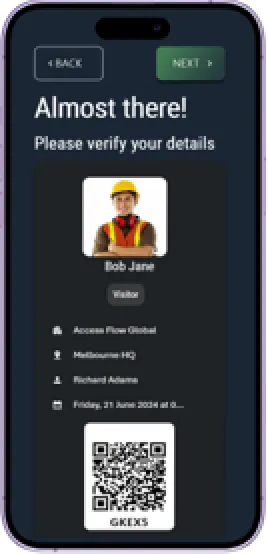
Hosts send invitations directly from the AccessFlow dashboard. Each invitation includes a unique link that allows the visitor to pre-register their details, complete required safety inductions, acknowledge site policies, and answer compliance questionnaires before arriving on site. On completion, they receive a QR code for fast-track check-in at any kiosk-significantly reducing wait times at entry points during shift changes and high-traffic periods. Invitations include ICS calendar file attachments for automatic diary integration.
Photo capture. ID scanning with metadata extraction. Watchlist screening across name, email, phone, company, and ID document number-not just a name match. Badge printing. Access control credential assignment. All automated. All logged. For pre-registered visitors, a QR code scan completes the process in seconds.
For high-security environments, Lobby Mode holds the visitor in a verified waiting state after kiosk check-in. The host or a security operator receives a notification-via SMS link or email-and must explicitly approve or reject entry before the visitor proceeds. The approval screen presents a full visitor profile: photo, check-in details, question responses, watchlist flags, permit to work status, documents, and access control assignments. One view. One decision. Full audit trail.
For hosts, the lobby notification arrives as a one-time link delivered directly to their phone. The host taps the link, reviews the visitor’s details and photo, and either accepts or rejects entry-all from their mobile device without needing to log into the full dashboard.
Credentials are automatically revoked at check-out or credential expiry-ensuring no visitor retains site access beyond their authorised visit window. The visit is closed in the audit trail. If the visitor is still on site during an emergency, they’re in the muster register and receive an automated evacuation notification with a one-tap safety acknowledgement.
AccessFlow’s Watchlist feature goes beyond simple name matching. The system screens across multiple data fields-name, email, phone number, company, and ID document number-to identify persons of interest or previously denied individuals even when they attempt to check in under a variation of their registered details. On a match: automatic check-in denial, dashboard alarm, and real-time SMS/email alert to security. Hosts can flag visitors as ‘watch’ (allow with alert) or ‘deny’ (block entirely).
For tour groups, training cohorts, audit teams, or contractor shift crews arriving in bulk, AccessFlow’s Visitor Lists provide a one-click mass check-in and check-out workflow from the dashboard. No individual kiosk interaction required. Dashboard operators manage the entire group from a single list view.
Hosts are synchronised from Active Directory, Microsoft Entra ID (formerly Azure AD), the access control cardholder database, or bulk-imported via CSV or Excel. The host directory stays current with the organisation’s identity infrastructure-no manual maintenance required. Hosts receive live event updates and their onsite/offsite status is tracked in real time, ensuring a host is always available when a visitor selects them.
Operators can send SMS and email notifications to checked-in visitors at any time-to advise of a site safety update, a change in meeting location, or an emergency instruction. During emergencies, automated evacuation notifications are dispatched to all checked-in visitors, who acknowledge safety via a one-tap link. Scheduled reminders can notify hosts on visitor arrival, alert visitors of upcoming check-out times, and flag administrators when visitor compliance documents are approaching expiry.
AccessFlow’s visitor management kiosk integrated directly with access control infrastructure brought the full picture into focus.
When a visitor checks in through AccessFlow, the system doesn’t just log their name. It creates a cardholder record in the connected access control platform, assigns a temporary credential-QR code, Bluetooth mobile credential, physical card, or licence plate recognition (LPR)-and automatically revokes it when the visit ends. The visitor appears in every system that matters: the access control system, the live dashboard, and the emergency muster register.
All access control events-credential assignments, door access events, zone entries and exits-are recorded and available as a complete audit trail within the AccessFlow dashboard. This supports incident investigation and provides full traceability of visitor movements during their time on site.
That level of integration is what separates a visitor management solution from a visitor management platform.
Position kiosks where visitors naturally pass through-the main entrance, lobby, or reception. Add clear signage with directions. Poor placement leads to skipped steps and congestion. Ensure reliable Wi-Fi: kiosks depend on connectivity for real-time syncing, host notifications, and access control credential assignment.
Personalise the kiosk interface with your organisation’s logo, brand colours, and a site-appropriate greeting. Sign-in profiles can be tailored per visitor type-contractors, vendors, interview candidates, tour groups-capturing the specific data and compliance steps required for each category.
Encourage visitors to register before arriving on site. Send pre-registration invitations that allow guests to complete their sign-in process, safety inductions, and document acknowledgements in advance. On arrival, they scan their QR code at the kiosk-no typing required. This dramatically reduces entry congestion during peak periods.
With AccessFlow, all locations are managed from a single pane of glass. Push sign-in profile updates across all kiosks centrally, monitor kiosk device status remotely, and generate multi-site visitor reports and analytics to identify patterns and optimise resource allocation.
Visiting the Inner Range and Wesco Anixter team last week was a good reminder that the best technology partnerships aren’t just about product-they’re about shared understanding of the problem.
we support on-premise deployment which a lot of companies don’t do and for some high security companies that’s a big requirement
When a security distributor who works with Australian sites every day sees your visitor management kiosk and immediately starts talking about where it fits their customers’ environments, you know you’re solving the right problem.
If you’re evaluating visitor management kiosk solutions for your Australian worksite, we’d love to show you what AccessFlow looks like in action.


.png)